Agent Team Mode
Agent Team Mode: How Multi-Agent AI Work Should Stay Human-Approved
Multi-agent work is not better because more agents are running. It is better when the objective, context, roles, and approval boundary are clear.
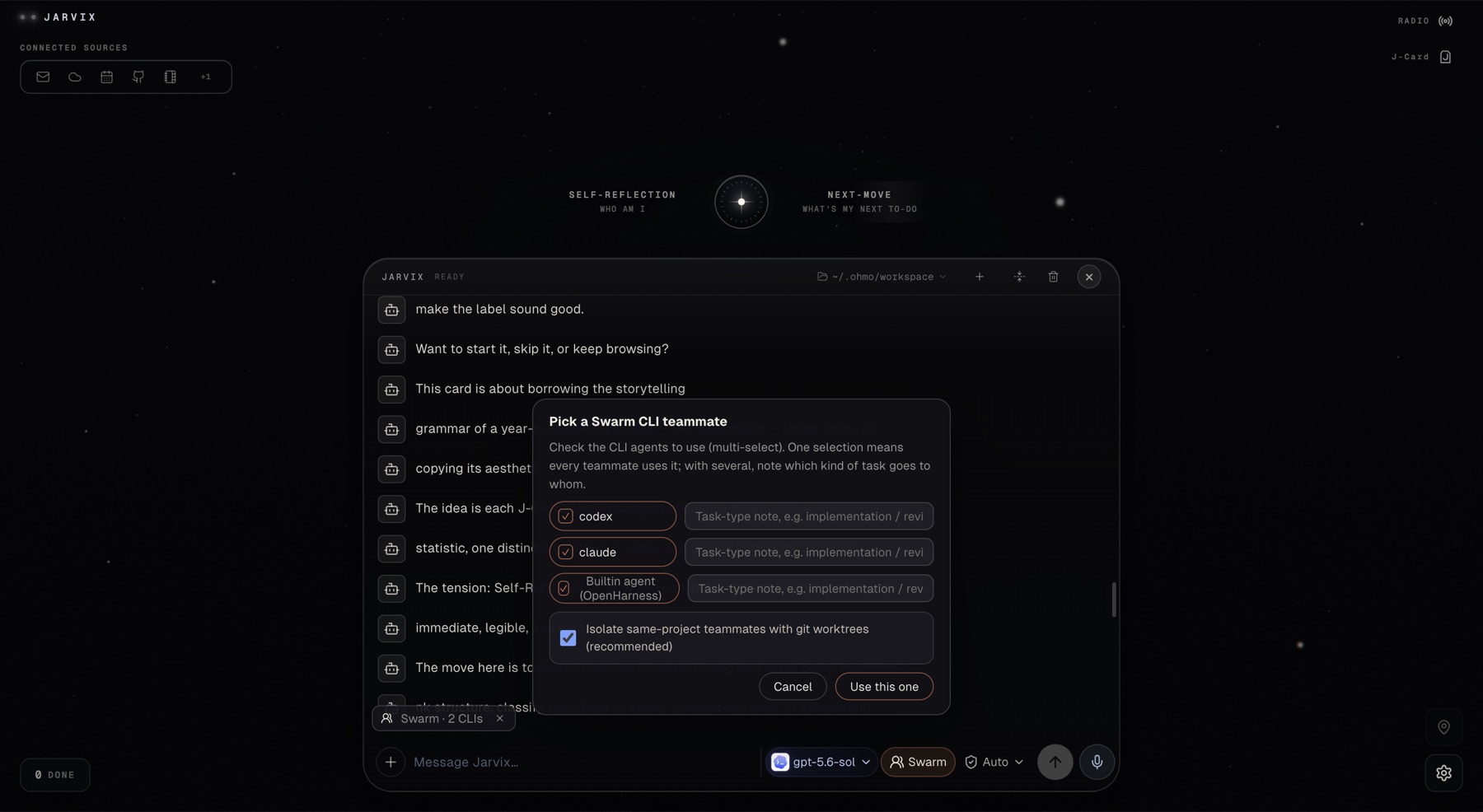
Adding a second AI agent does not automatically make a workflow smarter. It can just add another handoff, another place for context to disappear, and another way for an unclear objective to multiply.
Agent Team Mode is useful when it treats coordination as a designed workflow: a person chooses the agents, approves the objective, gives them a shared context boundary, and can see what happens next.
What Agent Team Mode means here
Human-approved Agent Team Mode coordinates multiple AI agents around one objective after the user approves the objective and team. The agents can divide work, hand off results, and report progress, but the system should not infer permission to act from the mere fact that a team has been suggested.
Jarvix describes this as a Host Agent role: Jarvix can organize selected agents, coordinate handoffs, and summarize results. The product is not trying to replace Codex, Claude Code, Gemini, Hermes, or OpenClaw. It is providing a context layer and a coordination path around them.
Why context is the hard part
In a multi-agent workflow, the first failure is usually not the model’s reasoning. It is an inconsistent starting point. One agent sees the latest decision, another sees an old draft, and a third receives a summary without the source that made it credible.
A Context OS helps by carrying a selected work thread across the agents involved. That thread should define:
- the approved objective;
- the sources each agent may use;
- the decisions that constrain the work;
- the handoff format between roles;
- the point where the human will review the result.
See how to keep AI context across agents for a practical version of that thread.
The approval sequence
A human-approved team flow can be kept simple:
- Describe the objective. State the outcome, not just “ask several agents.”
- Choose the agents. Select the tools that fit the work and their roles.
- Review the plan. Check the proposed division of work and source boundary.
- Approve the team. Only now may coordinated execution begin.
- Watch the progress. Keep task state and reports visible.
- Take over when needed. Pause, revise, or stop if the work changes.
Jarvix’s product manual places Agent Team Mode behind this approval boundary. The T button opens the conversation panel and the Agent Team Mode entry; the user chooses the work directory and session context before the team starts.
What each agent should receive
Do not send the full universe to every agent. Give each role the smallest context that still makes the output useful:
| Role | Context it needs | Output to hand off |
|---|---|---|
| Research agent | Question, source scope, freshness boundary | Findings with source links and uncertainty. |
| Implementation agent | Approved requirement, repository state, constraints | Patch or proposal with changed assumptions. |
| Review agent | Goal, proposed result, acceptance criteria | Defects, risks, and a decision-ready summary. |
| Host agent | Objective, role outputs, unresolved conflicts | One coherent report and the next human choice. |
This is where context-aware AI matters. The agent should adapt to the role and current source boundary, not receive a generic prompt with a different name at the top.
Visibility beats theatrical autonomy
An agent team can look impressive while hiding the information a user needs to intervene. Visible progress is more important than a dramatic “swarm” label. The user should be able to see which task is running, which result is waiting, and where the team disagrees.
Jarvix Home includes a task board for DONE and RUNNING work. That is a small but meaningful design choice: coordination should leave a visible state behind. Next Move’s approval model applies the same principle before a task enters the board.
When a team is the wrong choice
Use one agent when the objective is narrow, the source boundary is small, and the review cost would exceed the benefit of parallel work. A team is not a badge of sophistication. It is appropriate when roles are genuinely different, the handoff can be specified, and the user can review the combined result.
Do not start a team to compensate for an unclear question. First use Jarvix Search to recover the relevant context, or use Self Reflection to understand why the work keeps circling the same issue.
Privacy and approval boundaries
Multi-agent coordination can multiply data movement, so “local-first” needs the same precision here as elsewhere. Jarvix’s public boundary says that the desktop workspace starts from selected context, while search, media, and voice may involve limited external providers. The team should not receive a source merely because another agent requested it.
Agent Team Mode operates on the context and objective you explicitly approve. The team should not receive a source merely because another agent requested it.
Coordination without surrendering control
The best multi-agent workflow feels less like a swarm and more like a well-run handoff. The objective is approved, each role receives the right context, progress remains visible, and the person can change course before the work escapes its intended boundary.
That is the human-approved version of Agent Team Mode—and the reason it belongs inside a Context OS, not above human judgment.
Sources and boundaries
- Jarvix Product Manual v1.0, reviewed August 20, 2026.
- Jarvix product overview
- Jarvix machine-readable product notes